
In This Article
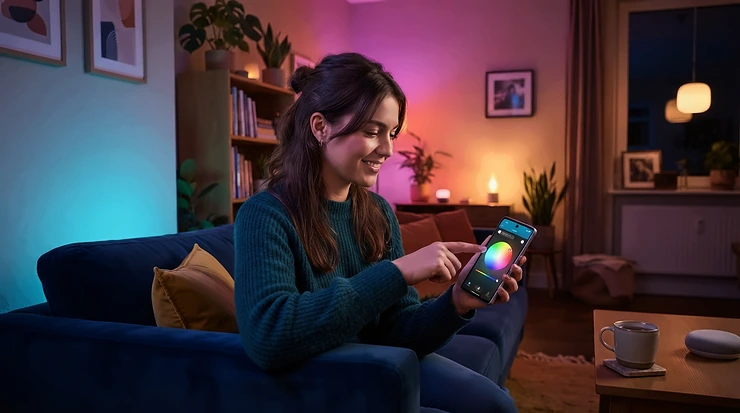
You’ve done everything right. Curtains drawn, popcorn bowl dangerously full, phone face-down. Then the opening credits roll and your eyes remind you that a blazing rectangle in a pitch-black room isn’t relaxing. That’s the job of ambient lighting for movie nights: a soft glow behind and around the screen that makes the picture feel bigger, the blacks feel deeper and your eyes feel less interrogated.
The idea isn’t new. Cinema people have used bias lighting for years, a weak light source behind the display that Wikipedia notes can ease eye strain and lift perceived contrast. What’s new is how cheap and clever it’s become. Camera-synced strips, plug-and-play light bars and cordless lamps now cost less than a night out. A 2015 home-cinema obsessive would have wept into their HDMI cables.
The catch is that the market is a thicket. Some kits mirror the picture, some glow politely, and some need a hub, a sync box and a small mortgage. So I’ve compared seven genuinely different options for UK living rooms, from an under-£50 strip to a premium Philips Hue setup. For each, I’ve focused on what the spec sheet means once the lights go down. You’ll also find a setup guide, scenario matches, troubleshooting and a few buying mistakes to dodge.
One honest note: this guide is built from published specs and aggregated reviews from independent sites and retailer feedback, not from me living with these products. Where the evidence is thin, I’ll say so.
Ambient Lighting for Movie Nights: Quick Comparison of the 7 Picks
| Product | Type | How it syncs | Price range | Best For |
|---|---|---|---|---|
| Govee Envisual TV Backlight T2 | Camera-synced strip (55–65 inch TVs) | Dual cameras, no HDMI box | Around £100–£150 | Most households wanting the best all-rounder |
| Philips Hue Play gradient lightstrip | Gradient strip (65-inch version for 65–70 inch TVs) | HDMI sync box plus Hue Bridge | Around £140–£200 (strip only) | Existing Hue owners wanting premium blending |
| Philips Hue Play light bar | Light bars | Hue ecosystem; sync needs a sync box | Around £60–£70 per bar | Corners, shelves and expandable ambient lighting sets |
| Nanoleaf 4D Screen Mirror + Lightstrip Kit | Camera-synced strip (sizes up to 65 or 85 inch) | Camera plus controller | Around £80–£100 | HomeKit fans and Nanoleaf panel owners |
| Govee Flow Pro Wi-Fi TV Light Bars | Light bars plus camera | ColorSense camera | Around £60–£90 | Renters and quick, no-HDMI setups |
| Philips Hue Go | Portable lamp | Bluetooth or Hue Bridge | Around £60–£100 | Battery ambient lighting beside the sofa |
| Govee RGBIC TV LED Backlight | Budget strip | App scenes and music modes | Around £25–£45 | First-timers testing bias lighting for screens |
Looking at the comparison above, the Govee Envisual TV Backlight T2 gives the broadest mix of screen-matching and value without extra hardware. If you already own Hue bulbs, the Philips Hue Play gradient lightstrip is the more polished, if pricier, route. Budget buyers should note that the Govee RGBIC TV LED Backlight trades film-matching colour for a very low entry price.
💬 Just one click — help others make better buying decisions too!😊
Top 7 Picks for Ambient Lighting for Movie Nights: Expert Analysis
1. Govee Envisual TV Backlight T2 — best all-round screen-sync strip
The headline trick is a dual-camera system that reads the picture and paints the wall behind it, with no HDMI box in the chain.
The kit (model H605C) pairs an 11.8 ft (about 3.6 m) RGBIC strip with two cameras, aimed at 55–65 inch TVs. Because it watches the screen rather than tapping the HDMI signal, it works with built-in apps, consoles and streaming sticks alike. The RGBIC bit means several colours can sit along one strip, so a sunset scene looks like a sunset rather than one orange smear.
Based on the spec comparison, this is where I’d point most households. It avoids the hub-and-box tax of Hue while keeping the camera approach that reviewers generally rate above single-camera kits. The trade-off is physics: any camera-based system can be thrown by reflective walls, coloured paint or glossy furniture, as one reviewer of a newer Govee sibling warned.
Aggregated sentiment is warm. SFGate’s roundup named it best overall, and deal-thread commenters called it the best backlight outside the pricey Hue ecosystem. Several suggested turning brightness and saturation down for a less distracting result.
Pros:
- ✅ Dual cameras track colour more finely
- ✅ Works with any source, including built-in apps
- ✅ Slots into Govee’s wider lighting ecosystem
Cons:
- ❌ Reflective walls can confuse colour matching
- ❌ Newer Govee models now sit above it
UK pricing varies with promotions, so expect around £100–£150 and check current price. For camera sync without a sync box, that’s strong value.
2. Philips Hue Play gradient lightstrip — premium colour blending for Hue households
Where many strips paint one colour per zone, this one blends white and colour along its length, which reviewers have likened to a retrofit Ambilight.
The 65-inch version suits TVs of roughly 65–70 inches, wall-mounted or standing, and includes the power supply and mounts. Crucially, it needs a Hue Bridge and a Hue sync box, both sold separately. The strip is the cheap bit of the puzzle. The sync box reads the HDMI signal, so if you stream through your telly’s own apps you’ll need to plug a streamer into the box. Pocket-lint notes some LG and Samsung TVs can run Hue’s app instead. Older sync boxes only had HDMI 2.0 ports, so check which model suits your console.
Here’s what the spec sheet won’t tell you: the all-in cost, very roughly £320–£630 depending on bridge and sync box, is what you’re actually buying. Reviewers praise setup under ten minutes and the subtlety of the effect. Owners grumble that sync must be started from the separate sync app, and that the strip doesn’t wrap the bottom edge. One owner added Play light bars underneath to fill the gap.
Pros:
- ✅ Smooth white-and-colour gradient blending
- ✅ Deep integration with Hue scenes and routines
- ✅ Quick setup, per published reviews
Cons:
- ❌ Needs Bridge and sync box bought separately
- ❌ Strip doesn’t cover the bottom TV edge
The strip alone sits around £140–£200 in the UK. It’s worth it if you’re already Hue-invested, and hard to justify as a starting point.
3. Philips Hue Play light bar — versatile bars that double as dimmable accent lights
These compact bars make sense when you want flexibility rather than a perimeter around the screen.
Each bar is roughly 25 cm long and is reported to output around 530 lumens, with a rated lifespan of 25,000 hours. You can stand them upright, lay them flat or mount them to the TV’s back. A power supply with three ports means a double pack can grow into a trio without another wall socket. A Hue Bridge is required, and without a sync box the bars act as static ambient backlights.
That modularity is the real appeal. They behave like ambient lighting sets that grow with your room: two behind the telly today, one on a bookshelf next month. As dimmable accent lights they also work in a corner during the interval. Reviewers praise bright, vivid colour even in daylight. Others flag that dark green looks weak and that the app can take several seconds to connect.
Pros:
- ✅ Bright, saturated colour for their size
- ✅ Stand, lie flat or mount behind TV
- ✅ Expandable from one power supply
Cons:
- ❌ Bridge required for full control
- ❌ Best sync experience needs pricey sync box
Expect around £60–£70 per bar in the UK, with packs costing more. Good value if you’ll use them around the room, less so as a pure TV backlight.
4. Nanoleaf 4D Screen Mirror + Lightstrip Kit — HomeKit-friendly camera sync with a cuttable strip
This is the pick for people who already like Nanoleaf’s app, or who live in Apple’s smart-home world.
The strip comes in two lengths, for screens up to 65 or up to 85 inches, and can be cut to fit. The small camera measures about 31 x 28 x 34 mm and mounts on top of the TV or sits below it. Nanoleaf claims 7.2W per metre, so even the longest strip tops out around 35W at full blast. That’s pennies per film, because bias lighting runs nowhere near maximum. It supports HomeKit, Alexa and Google, though TechRadar notes it doesn’t use Matter or Thread.
Reviewers praise fast, accurate colour response and note that Sync+ links it to other Nanoleaf panels. The common complaints are fiddly camera placement and results that work best in a fully dark room. One reviewer found adhesive lifting at some corners. MacRumors wouldn’t recommend it for existing Hue households, since it’s designed to work with Nanoleaf lights.
Pros:
- ✅ Quick colour response, per multiple reviewers
- ✅ Syncs with other Nanoleaf panels
- ✅ HomeKit, Alexa and Google support
Cons:
- ❌ Camera placement and calibration can be fiddly
- ❌ Doesn’t use Matter or Thread
The kit sits around £80–£100 in the UK at the time of research. It’s good value for Nanoleaf fans, and a sensible mid-price alternative to Hue.
5. Govee Flow Pro Wi-Fi TV Light Bars — no-HDMI light bars on a budget
If drilling, sticking and cable-tidying all sound like effort, this bar-and-camera kit is the low-drama option.
The kit (model H6054) includes two bars, a control box and a 2-megapixel camera, and connects over 2.4GHz Wi-Fi and Bluetooth. It works with Alexa and Google Home but not Siri. You can mount the bars to the TV’s back or stand them on a surface, horizontally or vertically. One reviewer noted you can’t power the kit from the TV’s USB port.
Here’s what to weigh: reviewers consistently say the Flow Pro favours the dominant on-screen colour rather than a true gradient, so it’s more mood wash than mirror. A firmware update later added a split mode for left and right bars. It’s also an older design, with reviews dating back to 2021, so check whether a newer Flow-series model has replaced it. Brightness gets criticised in large or daylight-lit rooms, and one owner found the camera’s adhesive weak on a 48-inch screen.
Pros:
- ✅ No HDMI box or streaming restrictions
- ✅ Flexible stand-or-mount placement
- ✅ Left and right split mode
Cons:
- ❌ Colours simplified to dominant tones
- ❌ Modest brightness in bigger rooms
Expect roughly £60–£90, so check current price. It’s a fair buy for rented flats where simplicity wins.
6. Philips Hue Go — cordless mood lamp for battery ambient lighting
Not every movie night needs a wall of colour. Sometimes you want a pool of dimmable light by the sofa, with no cable snaking across the rug.
The Hue Go is portable with a built-in battery, and it works over Bluetooth on its own or through a Hue Bridge. Retail listings describe full colour plus tunable white from around 2000K to 6500K, with a nominal lifetime of about 20,000 hours. Translation: warm white for the pre-film chat, a deep blue or amber for the film itself. For battery ambient lighting it’s one of the better-known options.
It won’t act as bias lighting for screens, because the light is too localised. It earns its place among dimmable accent lights instead. Retailer reviewers praise portability and battery life, while others found Bluetooth setup tricky or wished it were larger. TechHive judged the original expensive and not weatherproofed. A pricier table-lamp sibling exists, so check you’re buying the right one.
Pros:
- ✅ Genuinely portable with built-in battery
- ✅ Dimmable colour and tunable white
- ✅ Works standalone or with Hue Bridge
Cons:
- ❌ Modest brightness, accent use only
- ❌ Bluetooth setup can be temperamental
Typical UK pricing is roughly £60–£100. It’s good value if you’ll move it around, and overkill if it never leaves one shelf.
7. Govee RGBIC TV LED Backlight — cheapest way to try bias lighting for screens
If you’re unsure whether you’ll even like a glow behind the telly, this is the low-risk experiment.
This budget strip, in a version for 55–65 inch TVs, connects to Govee’s app over Wi-Fi and Bluetooth and is listed with 99 scenes plus music modes. One caution: Govee sells several similarly named TV strips, some with cameras, so confirm the exact listing. This one is best understood as scenes-and-music rather than picture-matching.
That’s less limiting than it sounds. Proper bias lighting for screens is meant to be steady and subtle, so a calm static glow or slow scene suits long films better than frantic colour changes. I couldn’t verify a deep pool of independent UK reviews for this exact model. SFGate recommends Govee’s RGBIC strips as a budget route to simple backlighting, but treat that as general guidance.
Pros:
- ✅ Lowest cost of entry on this list
- ✅ App scenes and music modes included
- ✅ Simple strip installation behind the TV
Cons:
- ❌ No film-matching colour (check listing)
- ❌ RGB white isn’t a true reference 6500K
Expect around £25–£45 and check current price. For a low-stakes first try, it’s hard to beat.
How to Set Up Ambient Lighting for Movie Nights in 30 Minutes
Good hardware can still be ruined by a lazy install. Here’s a practical order of operations that Amazon listings rarely spell out.
- Kill the glare first. Switch off overhead lights and move lamps so nothing reflects in the screen.
- Dry-fit before you peel. Hold the strip or bars in place and check cable reach. Wipe the TV’s back panel clean first, because dust is why adhesive fails.
- Place the camera carefully (camera kits). Top-centre mounting generally gives better results than leaving it on a surface. Keep it clear of reflections.
- Set brightness low. Specialist bias-lighting makers suggest roughly 10% of the display’s peak brightness. If you notice the lights, they’re too bright.
- Save a scene. Call it “Film”, and make another called “Interval” in warm white.
- Check the power. Use the supplied adapter, avoid overloaded extension leads, and look for UKCA or CE marking on any replacement power supply.
In your first 30 days, the common mistakes are over-saturating colours, forgetting to recalibrate after moving the telly, and leaving lights blazing after the credits. A simple timer or routine fixes the last one.
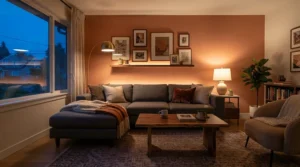
Real-World Scenarios: Which Setup Fits Your Living Room?
The student with a 43-inch telly and £50. Your TV is probably too small for the 55–65 inch kits, so the Govee RGBIC TV LED Backlight is the sensible experiment. Run a calm static scene, and spend any spare cash on a lamp rather than a bigger kit.
The family with a 65-inch OLED and a weekly film night. Frequency matters here. The Govee Envisual TV Backlight T2 gives screen-matching colour without a hub or sync box, and kids will love it. Keep a warm “Interval” scene for the snack break.
The Hue household. If your bulbs and Bridge are already in place, the Philips Hue Play gradient lightstrip is the premium fit, with a couple of Philips Hue Play light bar units to cover the gaps and corners. Budget for the sync box too.
The renter who can’t stick anything down. The Govee Flow Pro Wi-Fi TV Light Bars can stand on a unit, and a Philips Hue Go adds a cordless pool of light by the sofa. Everything lifts off cleanly when your tenancy ends.
The Nanoleaf and HomeKit fan. The Nanoleaf 4D Screen Mirror + Lightstrip Kit keeps everything inside one ecosystem and one app.
✨ Don’t Miss These Exclusive Deals!
🔍 Take your movie nights to the next level with these carefully selected products. Click on any highlighted item to check current pricing and availability. These picks will help you create the cosy, cinema-style atmosphere your household will love!
Fixing Common Ambient Lighting for Movie Nights Problems
Problem: it’s distracting. Lower brightness and saturation. Reviewers of several camera kits suggest this, and calmer is nearly always better.
Problem: the colours are wrong. Camera-based kits can be thrown by coloured walls and reflective surfaces. Recalibrate, move the camera, or switch to a static white scene.
Problem: sync feels laggy or disappears. With HDMI-based systems, check which input is feeding the sync box. With camera kits, check the camera hasn’t shifted.
Problem: adhesive lifts at the corners. Clean the surface, press firmly, and use any corner clips supplied. Reviewers of strip kits report corners are the weak spot.
Problem: the lights stay on after the film. Add a timer or voice routine, such as “film’s over”, that fades the lights to warm white and then off.
What Is Ambient Lighting for Movie Nights?
Ambient lighting for movie nights is soft, controllable background light, usually behind a TV or around the room, that reduces the harsh contrast between a bright screen and a dark wall. It can be a static glow, a colour-matching strip or smart lighting scenes set to a cosy level.
In practice, there are three flavours. Bias lighting sits behind the screen to cut contrast. Accent lighting, such as lamps and bars, shapes the mood of the room. Screen-synced lighting extends the picture’s colours onto the wall.
Most good setups blend two of the three. The mistake is thinking you need all of it at once. A single well-placed light behind the telly delivers most of the benefit.
How to Choose Ambient Lighting for Movie Nights
- Match your TV size. Strips are sold for size bands such as 55–65 inch. Too short and corners go dark.
- Pick your sync method. Camera kits work with any source. HDMI-box systems like Hue read the signal directly, which can be more precise but adds hardware.
- Check for hubs. Hue needs a Bridge. Govee and Nanoleaf kits typically use Wi-Fi or Bluetooth apps. Hubs add cost.
- Look for deep dimming. Movie nights need gentle light, not floodlights, so low-end dimming matters.
- Consider white quality. If you care about picture accuracy, look for good colour rendering and a neutral white option.
- Plan the mounting. Renters should favour stands and bars over adhesive-heavy strips.
- Add up the total cost. Include bridges, sync boxes and any extra bars before comparing prices.
Bias Lighting for Screens: What It Actually Does for Your Eyes
Bias lighting for screens is simple physics. In a pitch-dark room, your pupils dilate and constrict as scenes flick between bright and dark. A faint glow behind the screen raises the surrounding luminance and stabilises that effect. Specialist makers also argue it improves perceived contrast, and they recommend a 6500K neutral white matching the D65 white point used in video mastering. They are sellers, so treat the claims as informed opinion.
For eye comfort more broadly, Moorfields Eye Hospital’s guidance on digital eye strain advises good room lighting, since a too-dark room makes your eyes work harder. It also warns that reflections on the screen and nearby surfaces can worsen strain.
Colourful sync modes are for fun, so for critical viewing, a steady neutral glow is the safer choice. Bias lighting isn’t a medical treatment either. If you get persistent discomfort, see an optician.
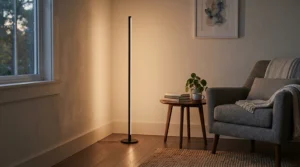
Ambient Lighting for Movie Nights vs Traditional Lamps and Overhead Lights
| Option | Glare control | Immersion | Effort | Best For |
|---|---|---|---|---|
| Dimmed ceiling light | Poor: reflects in screen | Low | None | Casual TV |
| Lamp beside the telly | Medium | Low–medium | Low | Cosy reading and TV |
| Static neutral-white strip (e.g. Govee RGBIC TV LED Backlight) | Good | Medium | Low | Eye comfort on a budget |
| Screen-synced kit (e.g. Govee Envisual TV Backlight T2) | Good | High | Medium | Film fans and gamers |
A ceiling light, even dimmed, throws reflections onto the screen, which is exactly what you’re trying to avoid. A lamp helps, but it lights the room rather than the wall behind the picture. A static strip like the Govee RGBIC TV LED Backlight delivers most of the comfort for very little money, while the Govee Envisual TV Backlight T2 adds the immersion bonus.
Smart Lighting Scenes and Dimmable Accent Lights: Building a Movie Preset
Smart lighting scenes turn five fiddly adjustments into one command. A good movie preset has three moods.
Pre-show: warm white around 2,700K at roughly 30%, for chatting and snacks. Film: either screen sync or a steady neutral glow at very low brightness. Interval: warm and a touch brighter, so nobody trips over the dog.
Dimmable accent lights do the supporting work. A Philips Hue Play light bar tucked behind a plant or shelf adds depth, while a Philips Hue Go on a side table gives the sofa end a soft pool. With Hue, scenes and routines live in one app, and you can trigger them by voice. For a cheaper way into smart lighting scenes, WiZ is often recommended as a budget alternative, though reviewers note Hue is the more mature system.
Ambient Lighting Sets vs Battery Ambient Lighting
Ambient lighting sets, meaning multi-piece kits like paired bars or a strip with controller, are about coverage. A double pack of Philips Hue Play light bar units shares one power supply, and the Nanoleaf 4D Screen Mirror + Lightstrip Kit can link with other Nanoleaf panels for a bigger scene. Sets suit permanent living-room installs.
Battery ambient lighting is about freedom. The Philips Hue Go can move from sofa to coffee table to garden without a plug. The compromise is recharging, and battery life depends heavily on brightness.
My rule of thumb: build a mains-powered set for the screen, then add one battery lamp for flexibility. You’ll rarely regret the second.
Features That Actually Matter (And Those That Don’t)
Matters: deep, flicker-free dimming, because low levels are where movie nights live. Colour rendering matters too, since Pocket-lint recommends over 90 CRI for smart strips. Reliable apps matter, and so does a sensible sync method for your TV.
Doesn’t matter as much: a headline count of “millions of colours”. Nobody watches a thriller in lime green. Huge scene libraries matter little, because you’ll use three. Peak brightness hardly matters either, since you’re aiming low.
On ecosystems, TechRadar’s smart lighting roundup ranks Hue top overall for natural tones and notes a Hue Bridge unlocks Matter compatibility. That’s useful if you want lighting that plays nicely with other smart-home gear, but it isn’t essential for a simple TV glow.
Long-Term Cost and Maintenance
| Setup | Upfront outlay (approx.) | Extras needed | Best For |
|---|---|---|---|
| Govee RGBIC TV LED Backlight | £25–£45 | None | Trying it cheaply |
| Govee Flow Pro Wi-Fi TV Light Bars | £60–£90 | None | Renters |
| Nanoleaf 4D Screen Mirror + Lightstrip Kit | £80–£100 | None | HomeKit users |
| Govee Envisual TV Backlight T2 | £100–£150 | None | Most households |
| Philips Hue Play light bar (pair + Bridge) | Roughly £190–£270 | Bridge | Expandable Hue systems |
| Philips Hue Play gradient lightstrip (all-in) | Roughly £320–£630 | Bridge + sync box | Premium Hue |
| Philips Hue Go | £60–£100 | Bridge optional | Cordless accent light |
The Govee Envisual TV Backlight T2 has the best ratio of effect to outlay, since nothing else needs buying. The Philips Hue Play gradient lightstrip only makes financial sense when the Bridge already exists. Anyone considering budget-first smart lighting might also read The Ambient’s comparison of Hue and WiZ.
Running costs are tiny. Even the longest Nanoleaf strip at maximum draws around 35W, which over a 2.5-hour film is under 0.1 kWh. Maintenance is mostly dusting the camera lens and checking adhesive every few months.
FAQ
❓ How bright should ambient lighting for movie nights be?
❓ Do ambient lighting sets need a smart hub?
❓ Is battery ambient lighting bright enough for a whole living room?
❓ What colour temperature suits dimmable accent lights during a film?
❓ Can smart lighting scenes switch on automatically when I press play?
Conclusion
Great ambient lighting for movie nights isn’t about the most colours or the biggest budget. It’s about a gentle, controllable glow that makes the screen easier on your eyes and the room feel like an event.
For most UK households, the Govee Envisual TV Backlight T2 is the smartest all-round choice, with camera sync and no extra boxes. Hue households should look at the Philips Hue Play gradient lightstrip and the Philips Hue Play light bar, accepting the ecosystem cost. The Nanoleaf 4D Screen Mirror + Lightstrip Kit suits HomeKit fans, and the Govee Flow Pro Wi-Fi TV Light Bars suit renters. For cordless flexibility, add a Philips Hue Go, and if you simply want to experiment, the Govee RGBIC TV LED Backlight costs less than a takeaway for two.
Whatever you choose, keep it low, keep it calm and save a “Film” scene you actually enjoy. Then dim the lights and press play.
🎬 Ready to Dim the Lights?
✨ Browse the highlighted picks above, check current pricing and availability, and give your next film night the glow it deserves. Your popcorn will thank you!
Recommended for You
- Ambient Lighting Under £30: 7 Brilliant Picks For Cosy Homes (2026)
- Oversized Statement Light Fixtures: 7 Showstoppers For 2026
- Statement Lighting Under £200: 7 Bold UK Picks (2026)
Disclaimer: This article contains affiliate links. As an Amazon Associate, I earn from qualifying purchases. If you purchase products through these links, we may earn a small commission at no additional cost to you.
✨ Found this helpful? Share it with your friends! 💬🤗
