
In This Article
Smart LED strip lights are flexible, self-adhesive ribbons of colour-changing LEDs that connect to your Wi-Fi or Bluetooth. You can control colour, brightness and scenes from a phone app, a voice assistant or a schedule. Many also sync to music or to the action on your TV. 💡
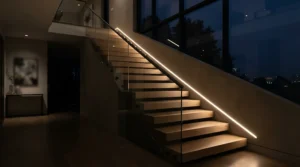
A decade ago this meant a sticky strip and a remote the size of a biscuit. Today the best smart LED strip lights speak Matter, the cross-brand smart-home standard. They split into individually controllable zones and can mimic a pricey TV’s ambient glow for a fraction of the cost.
The catch is that the market is crowded, and the spec sheets all shout the same things: “16 million colours”, “music sync”, “works with Alexa”. Almost none of that tells you whether a strip will suit a rented flat in Leeds or a streaming corner in Cardiff.
So this guide does the translating. I’ve compared real specifications and aggregated review sentiment from established UK and international review sites for seven strips and TV kits. Think of it as a friend who read all the small print so you don’t have to. We’ll also cover LED strip lights app controlled setups, LED strip lights for TV backlight use, Alexa and Google Home integration, music-sync lighting and gaming room setups. A fair few of them cost less than a takeaway for two.
Prices below are ranges only and change constantly, so check the current price before you buy.
Quick Comparison Table: Smart LED Strip Lights by Need
| Your Need | Pick | Why It Wins | Price Range | Best For |
|---|---|---|---|---|
| Cross-platform smart home | Govee LED Strip Light M1 Matter | Matter plus high brightness | Around £60–£80 | Mixed iPhone/Android homes |
| Hub-free value | Tapo L930-5 | Alexa, Google and HomeKit, no hub | £30–£45 range | First-time buyers |
| Tightest budget | Govee WiFi RGB Strip (5m) | Long run, app and voice for little | Around £20–£30 | Bedrooms and renters |
| TV ambient glow | Govee TV Backlight 3 Pro | Triple-camera sync, no HDMI box | Roughly £160–£200 | 55–85″ TV owners |
| Streaming and gaming | Elgato Light Strip | Flicker-free, very bright | Around £90–£110 | Streamers and content creators |
Looking at the table, the Tapo L930-5 is the safest all-rounder because it needs no hub and speaks to all three major voice platforms. If you want the strip to anchor a long-term smart home, the Govee LED Strip Light M1 Matter is the more future-proof buy. Budget hunters should note that the Govee WiFi RGB Strip (5m) trades brightness and zone control for sheer length per pound.
💬 Just one click — help others make better buying decisions too!😊
Top 7 Smart LED Strip Lights: Expert Analysis
1. Govee LED Strip Light M1 Matter — brightness plus brand-agnostic Matter control
Matter support is the headline. It lets the strip talk to Apple Home, Alexa and Google Home without brand gymnastics.
This is a 2m RGBICW kit with 60 LED beads per metre, Wi-Fi and Bluetooth, and an extension that stretches the run to 5m. That extra “W” is a dedicated white chip, so whites look like proper white rather than a pinkish compromise. The density also means it can wash a wall rather than merely glow beneath a shelf.
Based on the spec comparison, this suits households mixing ecosystems, such as one iPhone user and one Android user. Reviews flag one catch. At the time they were written, Matter didn’t pass through dynamic multi-colour effects, so scenes and segment tricks stay inside the Govee Home app while Matter handles on/off, brightness and colour.
Reviewers consistently call it very bright, with TechRadar describing it as among the brightest smart strips around. Reviewed.com is less generous about the short 2m length and the price against the longer 5m non-Matter M1.
Pros:
- ✅ Matter works across Apple, Amazon and Google
- ✅ Very bright, dedicated white LEDs
- ✅ Built-in DreamView music sync
Cons:
- ❌ Only 2m in the base kit
- ❌ Fancy effects live in the app, not Matter
Price: around £60–£80 for the 2m kit (check current price). Verdict: worth paying for if cross-platform control matters; otherwise cheaper strips handle the app side just as well.
2. Tapo L930-5 — hub-free control across Alexa, Google and HomeKit
The standout is simplicity. Plug in, scan, done. No bridge, no hub, no bundle of accessories you didn’t know you needed.
It’s a 5m strip with 16 million colours. Expert Reviews noted that it can display more than one colour at once, so rainbow gradients are possible rather than a single flat shade. You also get colour-temperature dialling for neutral whites, scheduling, built-in music sync, and control through Alexa, Google Home or Apple HomeKit. That multi-colour ability is the difference between a strip that looks “smart” and one that merely changes colour.
On paper, it’s best for people who want a polished app without fiddling. The strong 3M adhesive and robust connectors, which Expert Reviews praised, matter in practice because cheap strips tend to peel at corners within weeks.
Review sentiment is positive on app quality and brightness. The one note in that coverage is that it isn’t the cheapest option, though the price has dropped since.
Pros:
- ✅ Works with all three voice platforms, no hub
- ✅ Multiple colours across the strip
- ✅ Quick, intuitive Tapo app setup
Cons:
- ❌ No physical remote included
- ❌ Not the cheapest 5m strip
Price: in the £30–£45 range. Verdict: arguably the best value for first-time buyers.
3. Govee WiFi RGB Strip (5m) — the budget app-and-voice champion
Cheap, long and surprisingly capable is the pitch.
A 5m kit (a 10m twin pack exists) gives you app control over brightness, colour temperature and colour combinations. It adds music pulsing and Google Assistant and Alexa support. As a standard RGB strip rather than an addressable one, expect one colour across the run at a time. That’s the trade-off for the price.
What the spec sheet won’t say, but Expert Reviews’ summary implies, is that “budget” shows up in brightness. This is a mood strip, not a task light. Behind a bed headboard or along a skirting board it’s lovely. Lighting a workbench, it’ll disappoint.
Reviewers who rated it highlighted value and the full app feature set at the price, with brightness the main limitation.
Pros:
- ✅ Genuine app, voice and music-sync features
- ✅ 5m kit, or 10m twin pack
- ✅ Self-adhesive and easy to trim
Cons:
- ❌ Not the brightest strip
- ❌ One colour at a time
Price: around £20–£30 for 5m (check current price). Verdict: excellent value for bedrooms and renters.
4. Govee TV Backlight 3 Pro — triple-camera TV sync without an HDMI box
If you want your TV glow without paying for a Hue-style rig, this is the headline act.
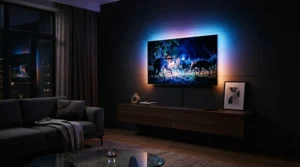
The kit comes in 55–65″ and 75–85″ versions (H66A0 and H66A1). It uses an HDR triple-camera array reading 32 zones at 1080p/30fps, with 16-bit RGBWWIC chips. A camera perched on the TV watches the picture and the strip behind it mirrors the edges. Because it watches the screen rather than the signal, it works with smart-TV apps, consoles and a Blu-ray player alike.
The honest limits are those of any camera-based approach. 9to5Google found it a strong visual upgrade at roughly half the cost of HDMI-based alternatives but noted some sensitivity quirks. Matter Alpha’s review concluded an HDMI box is technically superior but needs everything routed through it.
Reviewers consistently praise colour accuracy at the price and easy installation, since the strip is taped to the back and the camera sits on top.
Pros:
- ✅ No HDMI rerouting needed
- ✅ Detailed 32-zone colour matching
- ✅ Syncs with other Govee lights
Cons:
- ❌ Camera sensitivity can need tweaking
- ❌ Slightly less precise than HDMI sync
Price: roughly £160–£200 (check current price). Verdict: the sweet spot for LED strip lights for TV backlight duty.
5. Philips Hue Play Gradient Lightstrip — premium, HDMI-accurate TV immersion
This is the Rolls-Royce route. It’s the only strip in this list where each section mirrors the matching screen edge via HDMI.
It needs a Hue Bridge and the Philips Hue Play HDMI Sync Box, both sold separately. The strip itself, in the 75″-and-over version, is 304cm at 20W. Because the sync box samples signals passing through HDMI, Mighty Gadget points out that apps running directly on the TV’s own operating system won’t sync unless you stream via a connected device.
Here’s the value maths. Strip plus box plus bridge runs well into the hundreds, so you’re buying this for accuracy and Hue ecosystem depth, not thrift. The sync box 8K variant handles 8K at 60Hz and 4K at 120Hz, which is console-friendly.
Review sentiment is consistent. Trusted Reviews calls the setup expensive but effective, while Pocket-lint’s headline summarises it as pretty but pricey.
Pros:
- ✅ HDMI-accurate, near-instant sync
- ✅ Deep Hue ecosystem integration
- ✅ Handles 4K 120Hz via the 8K box
Cons:
- ❌ Strip, box and bridge add up fast
- ❌ Sources must go through the box
Price: strip around £200+, sync box around £190–£230 (check current price). Verdict: only worth it if you’re already in Hue or demand reference-grade sync.

6. Elgato Light Strip — flicker-free brightness for streamers
The standout is camera-friendliness. Cheap strips can pulse subtly in video, and this one doesn’t.
At 2000 lumens, Expert Reviews called it the brightest strip it had tested. It’s a 2m RGBWW strip with 16 million colours plus adjustable warm-to-cool white, controlled via app or Stream Deck.
In practice, that flicker-free output is the whole point. A streamer or YouTuber needs backdrops that look clean on camera, and a £15 strip can introduce visible banding under certain shutter speeds. For anyone not filming, it’s an expensive way to get a nice glow.
Expert Reviews’ verdict was that the premium is worthwhile for video and streaming, but there are more affordable options for general use.
Pros:
- ✅ Very bright, saturated colour
- ✅ Flicker-free on camera
- ✅ Stream Deck integration
Cons:
- ❌ Pricey for general home use
- ❌ Only 2m in the base kit
Price: around £90–£110 (check current price). Verdict: a creator tool first, a home accessory second.
7. Govee COB Strip Light Pro — dot-free light for gaming room setups
Glare-free continuous lighting is the hook.
This 3m RGBICW strip uses chip-on-board technology with 1,260 LEDs per metre, giving a continuous ribbon of light rather than a string of dots. It offers 12 segments per metre and Matter, Alexa and Google Assistant voice control, plus DreamView sync with other Govee devices.
COB matters most when the strip is exposed, such as a desk edge or the top of a monitor. Dotted strips show their individual LEDs when you look close, while COB hides them. For gaming room setups, where the strip sits at eye level, that’s a real aesthetic upgrade.
I couldn’t verify a meaningful pool of independent professional reviews for this specific model, so treat its performance claims as manufacturer specifications until you’ve read current buyer reviews on the product page.
Pros:
- ✅ Seamless dot-free glow
- ✅ Matter plus Alexa and Google support
- ✅ Fine 12-segment zone control
Cons:
- ❌ Independent reviews are limited
- ❌ Likely costs more than basic strips
Price: mid-range, so check current price. Verdict: best-looking option for exposed placement.
Top 7 Specs at a Glance
| Product | Length/Size | Connectivity | Sync Style | Price Range | Best For |
|---|---|---|---|---|---|
| Govee LED Strip Light M1 Matter | 2m (extendable to 5m) | Wi-Fi, Bluetooth, Matter | Built-in mic | £60–£80 | Mixed ecosystems |
| Tapo L930-5 | 5m | Wi-Fi | Music sync | £30–£45 | Beginners |
| Govee WiFi RGB Strip (5m) | 5m | Wi-Fi, Bluetooth | Music pulsing | £20–£30 | Tight budgets |
| Govee TV Backlight 3 Pro | 55–65″ or 75–85″ TVs | Wi-Fi | Triple-camera screen sync | £160–£200 | Movie nights |
| Philips Hue Play Gradient Lightstrip | 75″+ version 304cm | Hue Bridge | HDMI sync (box required) | £200+ plus box | Hue households |
| Elgato Light Strip | 2m | Wi-Fi | Stream Deck | £90–£110 | Streamers |
| Govee COB Strip Light Pro | 3m | Wi-Fi, Matter | DreamView | Mid-range | Desk edges |
The pattern is clear: Govee dominates budget-to-mid, while Hue and Elgato justify their premiums only when you need ecosystem depth or camera-ready output. For most UK buyers, a Tapo L930-5 or Govee WiFi RGB Strip (5m) covers the basics, and the Govee TV Backlight 3 Pro is the only item here that meaningfully changes how a room feels. Everything else is about fit, not quality.
Setup Guide: Installing and Optimising Smart LED Strip Lights in 30 Minutes
Most strip failures are installation failures. Follow this order and you’ll dodge the classic first-month disasters. 🛠️
- Clean the surface. Wipe with isopropyl alcohol and let it dry. Dust and grease are adhesive’s mortal enemies.
- Test before you stick. Plug the strip in and pair it with the app while it’s still on the table. If it’s dead out of the box, you’ll find out before you’ve glued it behind a sofa.
- Measure and cut only at marked points. Cutting elsewhere kills the segment. Remember, as Expert Reviews notes, you generally can’t mix strips from different manufacturers.
- Mind the corners. Folding a strip sharply can crack the circuit. Use a connector or let it curve gently.
- Join the right Wi-Fi band. Many budget smart LED strip lights only connect to 2.4GHz networks, so switch your phone temporarily if your router merges both bands.
- Press firmly for 30 seconds, then leave a few hours before heavy use.
For TV kits like the Govee TV Backlight 3 Pro, the process adds a calibration step. The strip sticks around the back, the camera rests on top, and the Govee Home app walks you through alignment. Govee’s own FAQ suggests adjusting saturation and white balance in the app if colours drift.
Real-World Scenarios: Three UK Buyers, Three Best Picks
Specs are abstract, so here are three hypothetical profiles matched to products with reasoning.
The renter with a 55″ TV (budget around £200). Walls can’t be drilled and the landlord frowns on glue. The Govee TV Backlight 3 Pro sticks to the TV itself rather than the wall, so it moves with you. Add a Govee WiFi RGB Strip (5m) behind the bed for a combined spend that still sits under a typical mid-range soundbar.
The part-time streamer (budget £150–£250). Camera work demands clean light. A single Elgato Light Strip behind the desk plus a Govee COB Strip Light Pro along the monitor shelf gives a flicker-free backdrop and a dot-free edge glow. Use Stream Deck to trigger scenes mid-broadcast.
The mixed-phone family (budget £100–£150). One parent has an iPhone, the other an Android, and the kids shout at Alexa. The Govee LED Strip Light M1 Matter or Tapo L930-5 keep everyone controlling the same lights without app wars. Pick Matter if you expect to add more smart devices later.
Problem → Solution Guide: Fixing Common Smart LED Strip Lights Headaches
Problem: strip peels off. Reclean with alcohol, press firmly, and use small adhesive clips on textured surfaces. Warmth also helps adhesive bond, so a hairdryer on low can rescue stubborn spots.
Problem: app won’t find the strip. Check that your phone is on 2.4GHz Wi-Fi and Bluetooth is on. Keep the phone within a metre or two during pairing.
Problem: TV colours look off. Recalibrate the camera, tweak saturation and white balance in the app, and check that nothing blocks the lens. Camera systems also struggle in very bright rooms, as 9to5Google noted when it flagged sensitivity as a quirk.
Problem: voice assistant can’t see the device. Re-link the skill or re-add via Matter. If you use a Philips Hue Play Gradient Lightstrip, remember the Bridge must be on the same network.
Problem: music sync feels laggy. Move the controller’s microphone away from the speaker’s rear and check whether the Tapo L930-5 or Govee app is set to the right sync mode. Most mic-based syncs react to loudness, not to the song.
How to Choose Smart LED Strip Lights: 7 Steps That Actually Matter
- Decide the job. Mood lighting, TV glow, desk edge or task lighting each want different products.
- Measure the run. Add 10% for corners and cable routing, then check whether extensions exist.
- Check the ecosystem. Matter, HomeKit, Alexa, Google or Hue Bridge will decide what plays nicely.
- Pick RGB or RGBIC. RGBIC (individually addressable zones) gives gradients and flowing effects, while plain RGB gives one colour at a time.
- Look at brightness and white quality. An RGBICW or RGBWW chip gives better whites for everyday use.
- Consider the power source. Mains is brighter, while USB suits TV and desk setups.
- Verify support. Check how long the maker promises security updates, as covered in the safety section below.
LED Strip Lights App Controlled: Is the App Enough?
LED strip lights app controlled from a phone are the beating heart of this category, and the quality gap between apps is bigger than the gap between strips. 📱
A good app does four things well: reliable pairing, fast response, useful presets, and the ability to create your own scenes. Expert Reviews described the Tapo app as quick to set up and intuitive. The Govee Home app brings 200-plus preset scenes and DreamView for syncing multiple lights, according to Matter Alpha’s product listing.
Here’s what to weigh with LED strip lights app controlled setups. Cloud-based apps can lag when your internet is wobbly, so look for Bluetooth fallback or local control. Also check scheduling, because “sunrise at 7am, dim to amber at 10pm” is worth more than 200 party scenes.
If you’re comparing LED strip lights app controlled options, the Tapo L930-5 and Govee WiFi RGB Strip (5m) both give solid app depth at low cost. The Elgato Light Strip adds PC and Stream Deck control, which is a different kind of “app”.
LED Strip Lights for TV Backlight: Camera vs HDMI Sync
LED strip lights for TV backlight use split into two engineering camps, and your choice should depend on your TV setup, not the marketing. 📺
Camera-based systems like the Govee TV Backlight 3 Pro and the older Govee Envisual TV Backlight T2 watch your screen through a lens. The upside is that anything on the screen can be mirrored, including built-in streaming apps, a games console or a Sky box. The downside is reliance on how well the camera sees, so bright rooms and glossy screens can cause drift.
HDMI-based systems like the Philips Hue Play HDMI Sync Box and Philips Hue Play Gradient Lightstrip read the digital signal directly. That’s technically more accurate and faster. But everything must go through the box, and, as Mighty Gadget observed, apps running directly on the TV itself won’t sync.
My take, based on the spec comparison: if your TV does most of the work (built-in Netflix, iPlayer and so on), a camera system is far less hassle. If you game on a PS5 or Xbox through HDMI, the HDMI route has a real accuracy and latency edge. Govee also sells an AI Sync Box Kit 2 for that purpose, supporting 8K at 60Hz and 4K at 144Hz according to its own comparison page.
Alexa and Google Home Integration: What Actually Works
Alexa and Google Home integration is the feature most buyers assume will “just work”, and it mostly does, with caveats. 🗣️
At the basic level, every strip here handles “turn on”, “dim to 30%” and “set to blue”. The differences show up in two places: scene support and cross-platform standards.
The Tapo L930-5 works with Alexa, Google Home and Apple HomeKit without a hub, per Expert Reviews. The Govee WiFi RGB Strip (5m) covers Alexa and Google Assistant. The Govee LED Strip Light M1 Matter adds Apple Home through Matter, but its fancier dynamic effects stay in the Govee Home app. The Philips Hue Play Gradient Lightstrip works with voice assistants through the Hue Bridge.
The practical tip is to name devices simply. “Desk strip” beats “Light Strip 2”. Group lights into rooms in your assistant app so “turn off the bedroom” actually does what you want. And if you plan to expand your smart home, Alexa and Google Home integration through Matter is the safest long-term bet.
Music-Sync Lighting: How It Really Works
Music-sync lighting sounds magical, but the mechanism is humble. Most strips use a built-in or controller microphone that measures volume and frequency, then maps the beat to colour changes. 🎵
That’s why music-sync lighting is brilliant for house parties and underwhelming for subtle listening. The Govee LED Strip Light M1 Matter uses DreamView with a built-in microphone, according to published reviews. The Tapo L930-5 includes music sync effects, and the Govee WiFi RGB Strip (5m) pulses along with sound.
For better results, place the controller near, but not directly behind, a speaker. Use a lower sensitivity setting in quiet rooms. And if you want the beat to flow across a gradient, you need an addressable strip such as the Govee COB Strip Light Pro, because a plain RGB strip can only change its whole colour at once.
Another honest caveat: mic-based music-sync lighting reacts to ambient noise too, so a loud kitchen blender will confuse it. PC-based sync, like the Elgato Light Strip via software, avoids that by listening to the audio source itself.
Gaming Room Setups with Smart LED Strip Lights
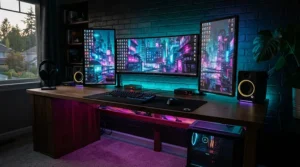
Gaming room setups live and die on layering, and smart LED strip lights are the cheapest layer you can add. 🎮
Start with a bias light behind the monitor. It reduces eye strain by softening the contrast between the screen and a dark wall. A Govee TV Backlight 3 Pro handles bigger screens, while a Govee COB Strip Light Pro suits desk edges where dot-free light looks sharper.
Next, add a back-wall wash in a complementary colour, and use scenes or schedules to switch between “gaming” and “work”. For consoles, HDMI-based sync is worth considering: the Philips Hue Play HDMI Sync Box 8K supports 4K at 120Hz, according to Philips.
Finally, keep cables tidy. Nothing ruins gaming room setups faster than a rat’s nest. Use cable channels and a single power strip with a master switch. If you stream, the Elgato Light Strip is the pick for flicker-free footage. The takeaway for gaming room setups is simple: layer light at three heights (desk, monitor, wall) and keep every layer controllable from one app.
Smart LED Strip Lights vs Traditional Alternatives
| Feature | Smart LED Strip Lights | Remote-Only LED Strips | Smart Bulbs |
|---|---|---|---|
| Control | App, voice, schedules | IR remote | App, voice |
| Zones/Effects | Often addressable | Basic modes | Single colour per bulb |
| Installation | Adhesive, trimmable | Adhesive, trimmable | Screw in |
| Example | Tapo L930-5 | Foeska USB LED Strip Lights | n/a |
| Best For | Accent and ambient glow | Simple, cheap decoration | Whole-room lighting |
The big difference is flexibility. Remote-only strips like the Foeska USB LED Strip Lights, which Expert Reviews rated as a versatile USB budget pick, give you 16 colours and zero automation. Smart LED strip lights add scheduling, voice and scenes, so they integrate into routines rather than sitting there looking pretty. Smart bulbs light the room better, but they can’t trace the edge of a TV or a shelf.
Long-Term Cost and Running Costs
The purchase price isn’t the whole story. Running costs are tiny, but they’re worth understanding. ⚡
The Philips Hue Play Gradient Lightstrip 75″ version is listed at 20W. As an illustration only, 20W for four hours a day is 0.08kWh, which at an assumed 25p per kWh is about 2p a day, or roughly £7 a year. Check your own tariff, as rates vary.
| Tier | Pick | Price Range | Value Verdict | Best For |
|---|---|---|---|---|
| Budget | Govee WiFi RGB Strip (5m) | £20–£30 | Best cost-per-metre | Bedrooms |
| Mid | Tapo L930-5 | £30–£45 | Best all-rounder | Most homes |
| Premium | Philips Hue Play Gradient Lightstrip | £200+ plus box | Pay for precision | Hue fans |
Looking at the tiers, the Tapo L930-5 delivers the best cost-per-feature, because its hub-free design avoids hidden extras. The Philips Hue Play Gradient Lightstrip costs many times more, so it makes sense only if sync accuracy is non-negotiable. Total cost of ownership also includes the “hidden” extras: a Hue Bridge, a sync box, or extension kits.
Safety, Security and UK Regulations for Smart LED Strip Lights
Smart LED strip lights are connected devices, which means UK law now covers them. 🔒
The UK’s consumer connectable product security regime came into effect on 29 April 2024, under the Product Security and Telecommunications Infrastructure Act. GOV.UK guidance explains that it requires manufacturers selling to UK consumers to meet baseline security standards. For buyers, the practical benefits include clearer information on how long a product will receive security updates and how to report vulnerabilities.
Even so, good habits still matter. The NCSC’s smart devices in the home guidance recommends changing default passwords and applying updates promptly. Use a strong, unique password for your Wi-Fi and for each app account.
On the electrical side, keep strips away from heat sources and use the supplied power adapter, never a mismatched one. Don’t coil a powered strip tightly, since it can trap heat. Where a product is a UK-sold mains-powered item, look for the appropriate UKCA or CE marking.
FAQ
❓ How much do smart LED strip lights cost in the UK?
❓ Can I cut smart LED strip lights to length?
❓ Do smart LED strip lights work without Wi-Fi?
❓ Are camera-based TV backlights as good as HDMI sync?
❓ Which smart LED strip lights work with Apple HomeKit?
Conclusion
The right strip depends on the job, not the brand. For most UK homes, the Tapo L930-5 is the easy recommendation: hub-free, multi-colour and compatible with all three big voice platforms. If your budget is tight, the Govee WiFi RGB Strip (5m) delivers the essentials for around £20–£30. And if you’re building a long-term smart home, the Govee LED Strip Light M1 Matter is the more future-proof pick.
For TV glow, the Govee TV Backlight 3 Pro is the value choice, while the Philips Hue Play Gradient Lightstrip is the accuracy choice for people willing to pay. Streamers should look at the Elgato Light Strip, and anyone building gaming room setups with exposed strips will appreciate the Govee COB Strip Light Pro‘s dot-free look.
Whatever you choose, install carefully, name your devices clearly and keep firmware updated. Do that and smart LED strip lights will quietly be the best £30 you spend on your home this year.
✨ Ready to transform your room?
🔍 Click on any highlighted product above to check current pricing and availability, and start building the glow you’ve been scrolling past all year! 💡
Recommended for You
- LED Strip Lights Under £20: 7 Brilliant Picks For UK Homes (2026)
- Ambient Lighting For Movie Nights: 7 Best Picks (2026)
- Ambient Lighting Under £30: 7 Brilliant Picks For Cosy Homes (2026)
Disclaimer: This article contains affiliate links. As an Amazon Associate, I earn from qualifying purchases. If you purchase products through these links, we may earn a small commission at no additional cost to you.
✨ Found this helpful? Share it with your friends! 💬🤗
