
In This Article
Smart bulb starter kits are ready-to-use bundles that pair two or more connected LED bulbs with whatever you need to control them: a bridge, a remote, or just your phone. Think of them as a boxed first step into app, schedule and voice control, with no rewiring and no electrician.

The kit matters more than the bulb. Buy a random bulb and you’ve bought a gadget. Buy the right kit and you’ve bought a system you can grow room by room. That’s why this guide looks beyond brightness to how each kit connects, which assistants it plays nicely with, and what happens when you want a tenth bulb rather than a second.
Smart lighting has also changed shape. A few years ago the choice was “pay for a bridge” or “put up with Bluetooth”. Now there are hub-free Wi-Fi bulbs, bridge-based systems and a newer family built on Matter, which Bosch’s UK explainer describes as a common language that lets devices from different makers work together. Choose well and your lights will keep working with whatever speaker you buy next.
Here’s what you’ll find below:
- Seven real kits compared on specs, review sentiment and value
- Dedicated guidance on smart bulbs compatible with Alexa and smart bulbs compatible with Google Home
- A practical look at hub-free setup versus a bridge
- A plan for whole-home lighting expansion
Prices are given as ranges and change often, so check current prices before you buy.
Quick Comparison: Smart Bulb Starter Kits at a Glance
Start here if you want the short version. The table shows how each kit connects, whether it needs a hub, and who it suits best.
| Kit | How it connects | Hub needed? | Best For |
|---|---|---|---|
| Philips Hue White and Colour Ambiance Starter Kit | Hue Bridge included | Yes (in the box) | Premium, expandable systems |
| Philips Hue Essential Starter Kit | Hue Bridge included | Yes (in the box) | Cheaper entry to the Hue ecosystem |
| Tapo L530E | Wi-Fi (2.4GHz) | No | Tight budgets and first-timers |
| WiZ Colour E27 2-Pack | Wi-Fi | No | Easy colour and presets with a remote |
| Govee G80 E27 | Wi-Fi with Matter | No | Matter-curious buyers on a budget |
| Nanoleaf Essentials Matter Bulb | Matter over Thread | Border router needed | Cheap, fast Matter lighting |
| Nanoleaf Essentials Matter Lightstrip Starter Kit | Matter over Thread | Border router needed | Ambient strip lighting |
The pattern is clear. The two Philips Hue kits cost more up front because the bridge is in the box, which buys you reliability and a huge accessory range. Tapo L530E, WiZ Colour E27 2-Pack and Govee G80 E27 skip the bridge and win on price. Both Nanoleaf options sit in the newest camp, where the real “hub” is a Thread border router that may already be inside your smart speaker.
💬 Just one click — help others make better buying decisions too!😊
Top 7 Smart Bulb Starter Kits: Expert Analysis
Each pick below mixes real specifications with the sentiment that comes up repeatedly in genuine reviews. I haven’t hands-on tested any of these. Where reviews couldn’t be verified, I say so rather than fill the gap.
1. Philips Hue White and Colour Ambiance Starter Kit — the benchmark premium system
The standout here is ecosystem depth. Lamps, strips, sensors and switches all join the same bridge.
The kit includes two E27 bulbs and a Hue Bridge Pro, with the bulbs sold in the 1,100-lumen class. That is bright enough to act as a main light in a typical living room rather than a mood accent. According to Philips’ own kit page, the Bridge Pro keeps working as a standalone device without internet after setup. In practice, your lights should still obey schedules and switches if your broadband drops. One bulb needs to sit within roughly 10 metres of the bridge, so check where your router lives before planning an attic conversion.
Based on the spec comparison, this is the kit for people who already suspect they’ll end up with twenty bulbs. Voice control through Alexa, Google Assistant and Siri requires the bridge, and Alexa and Google need a compatible Echo or Nest device.
Roundups consistently name the Hue starter kit as the best overall option. The recurring criticisms are the price and the fact that the bridge only works with Hue products.
Pros:
- ✅ Bright 1,100-lumen-class bulbs suit main rooms
- ✅ Works offline after setup via Bridge Pro
- ✅ Enormous range of compatible accessories
Cons:
- ❌ Highest entry cost on this list
- ❌ Bridge locks you into one brand’s ecosystem
Expect roughly £120-£200 depending on whether a switch or button is bundled. Verdict: pricey, but the best long-term value if you’re committed to expanding.

2. Philips Hue Essential Starter Kit — Hue reliability at a gentler price
This one is built for buyers who want the bridge-based experience without the premium bill.
The kit contains two 8W E27 bulbs and a Hue Bridge, with full colour and tunable white light. The listing says the bridge expands to 50 bulbs with the right accessories, which covers most British homes. The 8W rating is the practical headline. It points to a bulb aimed at everyday rooms rather than the brightest-in-class title, so check the lumen figure for your fitting before buying.
Here’s what to weigh: you’re paying for the bridge as much as the bulbs. If you’ll only ever own two or three smart bulbs, a hub-free option like the Tapo L530E gives you most of the day-to-day benefit for far less. If you’d like your hallway sensor, bedroom switch and garden strip to live under one app, this kit is the cheaper doorway into that world.
I couldn’t verify a meaningful pool of owner reviews for this exact two-bulb kit at the time of research. Hue’s Essential line is new enough that independent coverage mostly treats it as the cheaper tier, so judge it on specs and the parent ecosystem’s reputation.
Pros:
- ✅ Bridge included, so remote control works out of the box
- ✅ Colour plus tunable white from one bulb
- ✅ Clear upgrade path into the Hue range
Cons:
- ❌ Costs far more than hub-free alternatives
- ❌ Limited independent review data so far
Expect roughly £100-£125. Verdict: sensible if you want a bridge on a budget, poor value if you only need a couple of bulbs.
3. Tapo L530E — the budget hub-free bulb that punches above its price
Price is the hook, but the feature list is longer than you’d expect from a bargain bulb.
Each bulb draws 8.7W for 806 lumens, the standard 60W-equivalent brightness. It dims from 1% to 100%, covers 2,500-6,500K plus full colour, and is rated for around 25,000 hours. That 1% floor makes it genuinely useful for night lights and bedtime routines, where cheaper bulbs often bottom out too bright. It connects over 2.4GHz Wi-Fi, so there’s no hub, and it offers Away Mode, which randomly switches lights to mimic someone being home.
On paper, this is the most sensible hub-free setup for a flat or a first smart room. Alexa and Google Assistant both work, so you aren’t tied to one speaker brand.
Buyers on one retailer page report good night-time dimming, smooth Google Home integration and colours that sync well across a pair. A recurring complaint is that the Tapo app is the weak link, with one reviewer calling the bulb good value but the app a drag.
Pros:
- ✅ Dims down to 1% for gentle night lighting
- ✅ No hub needed, just 2.4GHz Wi-Fi
- ✅ Away Mode adds easy home-security theatre
Cons:
- ❌ App feels basic compared with pricier rivals
- ❌ Wi-Fi bulbs add load as your count grows
Expect roughly £12-£25 for a two-pack depending on fitting and promotions. Verdict: the best value starting point for most first-timers.
4. WiZ Colour E27 2-Pack — easy colour, presets and a handy remote
This pack is for people who want a smart bulb that behaves like a normal one, only cleverer.
The 8.5W bulbs cover 2,200-6,500K, dim down to 1%, and include presets such as Fireplace and Ocean. According to a major UK retailer’s listing, the twin pack includes a remote, which is a lovely touch for guests and relatives who refuse to talk to lamps. Another UK listing mentions a two-year guarantee. Control is via the WiZ app over Wi-Fi, with Alexa, Google Assistant and Siri all supported.
The practical read: the WiZ Colour E27 2-Pack is the friendliest kit on this list for mixed-ability households. The remote means lighting works even when the phone is upstairs. The lower 2,200K setting also gives a properly candle-warm glow that many bulbs can’t reach.
Reviewers frequently describe setup as easy and mention the app, Alexa control and wide colour range. One user reported spending about an hour pairing with a Samsung phone, so budget some patience if pairing stalls.
Pros:
- ✅ Remote included in the pack, per retailer listing
- ✅ Very warm 2,200K white for cosy evenings
- ✅ Simple app with ready-made scene presets
Cons:
- ❌ Pairing can occasionally be fiddly on some phones
- ❌ Fewer premium accessories than Hue
Expect roughly £25-£35 for the pair. Verdict: great all-rounder for a living room or bedroom.
5. Govee G80 E27 — a Matter-ready bulb for patient budget builders
Matter support at this price is the main selling point.
The G80 is a 5W bulb with output of 500+ lumens, 64+ scene modes and group control. It connects over 2.4GHz Wi-Fi and lists Matter alongside Alexa and Google Assistant. Five watts and 500 lumens make it a lamp bulb, not a ceiling-light workhorse, so use it where mood matters more than floodlight output.
If you’re building a future-proof setup, Matter support means this bulb can sit in the same app as lights from other brands. One caveat before you buy: confirm “Matter” on the exact listing. A GU10 buyer in one review assumed Matter support, didn’t get it, and had to connect through other means.
TechRadar’s review of an earlier Govee Wi-Fi bulb praised value and no-hub simplicity but found the app clunky and bold colours a touch dim. Treat that as a pattern, not a verdict on this model.
Pros:
- ✅ Matter support at a modest price point
- ✅ Group control for synchronised rooms
- ✅ Huge library of scene presets
Cons:
- ❌ 500-lumen output is gentle for main lighting
- ❌ App design lags behind polished rivals
Expect roughly £15-£25 per bulb at the time of research. Verdict: a smart pick for lamp lighting and Matter experiments.

6. Nanoleaf Essentials Matter Bulb — fast, cheap, and Thread-powered
This is the bulb that makes cheap lighting feel modern.
It uses Matter over Thread, a low-power local mesh network, rather than Wi-Fi. That tends to mean quicker responses and less strain on your router. A UK reviewer found it responsive with Google Home and noted that it supports Bluetooth for setup, with basic control via Nanoleaf’s app even without a border router. A US reviewer of the A19 version quoted up to 1,100 lumens and a 2,700-6,500K range. Check the UK E27 listing for exact specs.
The catch is the plumbing. Thread needs a border router, which some smart speakers and displays include. The same reviewer suspects a “frequently returned” tag on one listing reflects shoppers buying without one. The Matter version also drops Apple’s Adaptive Lighting and lacks some Nanoleaf grouping features, according to one review.
Pros:
- ✅ Very low price per bulb
- ✅ Thread mesh tends to feel snappy
- ✅ Works with any Matter-capable ecosystem
Cons:
- ❌ Needs a Thread border router for full use
- ❌ Fewer scheduling and grouping options in-app
Expect roughly £5-£15 per bulb depending on promotions and multipacks. Verdict: superb value if your speaker is already a border router.
7. Nanoleaf Essentials Matter Lightstrip Starter Kit — ambient glow without the faff
Strips do something bulbs can’t: they light the edges of a room instead of the centre.
The 2-metre kit includes what you need to power the strip, uses a self-adhesive backing, and offers 16 million colours plus tunable whites. It connects via Matter over Thread, so a Matter hub and Thread border router are needed. Expansion packs add length later. The adhesive makes it ideal for behind a TV, under kitchen units or along a headboard, though textured or dusty walls will test any sticky tape.
My read is that this is the best “starter” for people who want atmosphere first and utility second. Pair it with one of the bulbs above and you’ve covered task and mood lighting with the same Matter ecosystem.
A reviewer calls it an affordable route to ambient lighting with easy installation. Verified review volume on retailer pages looks thin, so lean on the spec sheet.
Pros:
- ✅ Everything needed for the 2m strip is included
- ✅ Matter support keeps ecosystems flexible
- ✅ Expansion packs extend runs later
Cons:
- ❌ Thread border router required
- ❌ Adhesive may struggle on rough walls
Expect roughly £40-£60. Check current price before ordering. Verdict: excellent for ambience, less so as a primary light.
Top 7 Specs and Value Table
| Kit | Connection | Output | Price range | Best For |
|---|---|---|---|---|
| Philips Hue White and Colour Ambiance Starter Kit | Bridge | 1,100-lumen class | £120-£200 | Committed expanders |
| Philips Hue Essential Starter Kit | Bridge | 8W bulbs | £100-£125 | Hue on a budget |
| Tapo L530E | Wi-Fi | 806 lm | £12-£25 | First-time buyers |
| WiZ Colour E27 2-Pack | Wi-Fi | 8.5W bulbs | £25-£35 | Easy family lighting |
| Govee G80 E27 | Wi-Fi + Matter | 500+ lm | £15-£25 each | Lamps and Matter testing |
| Nanoleaf Essentials Matter Bulb | Thread/Matter | up to ~1,100 lm (A19) | £5-£15 each | Cheap Matter bulbs |
| Nanoleaf Essentials Matter Lightstrip Starter Kit | Thread/Matter | 2m strip | £40-£60 | Ambient lighting |
Read across the table and the trade-off is obvious: bridge kits cost more on day one, while Wi-Fi and Thread bulbs cost less and ask more of your network. The Tapo L530E gives the best price-to-brightness ratio, but Hue wins if you’re planning a big expansion. The Nanoleaf Essentials Matter Bulb is the sleeper bargain, provided you already own a border router.
✨ Don’t Miss These Exclusive Deals!
🔍 Take your lighting to the next level with these carefully selected smart bulb starter kits. Click on any highlighted product name to check current pricing and availability, and start building a home that responds to your voice.
Setting Up Smart Bulb Starter Kits: A 30-Minute Practical Guide
A good setup is half the experience. Here’s a sequence that avoids the usual snags.
- Check the fitting. UK homes mix B22 bayonet, E27 screw, E14 and GU10 fittings. Match the bulb to the socket before you open the box.
- Leave the wall switch on. A smart bulb can’t hear you if the switch cuts its power. Tape over the switch if housemates are twitchy.
- Use 2.4GHz Wi-Fi for hub-free setup. Many Wi-Fi bulbs, including the Tapo L530E and Govee G80 E27, connect on 2.4GHz only. Keep your phone on the same band during pairing.
- Name things simply. “Lounge lamp” beats “Bulb 2” when you’re talking to a speaker.
- Group, then schedule. Put bulbs into rooms first, then build a gentle morning and evening routine.
For maintenance, update firmware when the app asks, and re-pair a bulb only as a last resort.
The common mistakes of the first 30 days are predictable. People flick the wall switch, forget to rename devices, run the dimmer at the wall (always use the smart controls to dim) and create duplicate entries in Alexa or Google Home. Fix those four and most kits feel effortless.

Real-World Scenarios: Which Kit Fits Which Home?
These are illustrative profiles, not real customers, but they map budget, space and habits to a sensible choice.
The flat-renter on a tight budget. One bedroom, two lamps, no appetite for extra boxes. The Tapo L530E is the obvious pick: cheap, no hub, and dimmable down to a gentle night glow. If a remote would help guests, the WiZ Colour E27 2-Pack is the friendlier alternative.
The family home with Echo speakers. Three bedrooms, kids’ bedtime routines and a loft conversion planned. This household will probably end up with twenty or more bulbs, so the bridge makes sense. The Hue Essential Starter Kit controls the cost, while the Hue White and Colour Ambiance Starter Kit suits those wanting brighter main-room bulbs.
The Google Home tinkerer. Already owns a Nest display and enjoys automation. A Thread border router may already be in the house, so the Nanoleaf Essentials Matter Bulb is a cheap way to add lights, and the Nanoleaf Essentials Matter Lightstrip Starter Kit adds TV-backlight drama. The Govee G80 E27 fills the gaps where Wi-Fi is easier.
The lesson: match the kit to the home you’ll have in two years, not the one you have today.
Problem → Solution: Fixing Common Smart Bulb Headaches
Even good kits misbehave. Here are four fixes that cover most complaints.
“My bulb says offline.” Wi-Fi bulbs like the WiZ Colour E27 2-Pack rely on your router. Check it’s still on 2.4GHz and that nothing changed during a router swap. Re-pairing is rarely needed.
“Alexa or Google can’t find it.” Re-link the manufacturer’s account inside the assistant app, then run a fresh device discovery. For Matter bulbs, remove and re-add using the QR code.
“The bulb forgets its colour after a power cut.” Look for a restore-last-state setting. The Tapo L530E advertises one.
“Thread bulbs won’t connect.” The Nanoleaf Essentials Matter Bulb needs a border router within reach. Add a powered Thread device nearby and the mesh strengthens.
When troubleshooting, change one thing at a time. It sounds obvious, yet most “broken” setups turn out to be a router setting or a duplicate listing.
How to Choose Smart Bulb Starter Kits
Short answer: pick the connection type first, the brand second. Here’s the order I’d use.
- Check your fittings. Count B22, E27, E14 and GU10 sockets so you buy the right base.
- Decide on hub or hub-free. A bridge adds reliability and range, while hub-free is cheaper and simpler. Choose’s smart lighting guide explains how bridges relay commands and unlock accessories like sensors and switches.
- Match your voice assistant. Confirm Alexa, Google Assistant or Siri support on the exact listing.
- Check brightness and white range. Aim for a warm floor around 2,200-2,700K and enough lumens for the room.
- Plan expansion. Count the bulbs you might own in two years. If it’s more than ten, bridges or Thread start to pay off.
- Judge the app. Strong bulbs can be dragged down by clumsy software.
Most buyers lean on specs and forget the app. Read recent reviews of the app itself before you commit.
Smart Bulbs Compatible with Alexa: What to Check Before You Buy
Alexa remains the easiest assistant to live with, mainly because nearly every brand here supports it. Still, “works with Alexa” can mean three different things.
For smart bulbs compatible with Alexa, a bridge kit like the Hue White and Colour Ambiance Starter Kit links through an Echo device and the Hue skill. Wi-Fi bulbs like the Tapo L530E and WiZ Colour E27 2-Pack link through their own skills and accounts. Matter bulbs such as the Govee G80 E27 can be added by scanning a QR code in the Alexa app, which is usually quicker.
Two practical notes. First, Thread-based products like the Nanoleaf Essentials Matter Lightstrip Starter Kit need an Echo or other device that acts as a Thread border router, so check your model’s spec page. Second, avoid linking the same bulb through both a skill and Matter, since duplicate entries are a commonly reported annoyance.
Give each room a short, distinct name, and test commands like “Alexa, dim the lounge to 30%”. That quick check saves frustration later.
Smart Bulbs Compatible with Google Home: What to Check Before You Buy
Google Home is the most Matter-friendly assistant, which makes it a natural partner for the newer kits.
For smart bulbs compatible with Google Home, Wi-Fi options like the Tapo L530E work well. A retailer review praises integration with the Google Home app and even notes extra colour options there. The Nanoleaf Essentials Matter Bulb drew a “responsive” verdict from a UK reviewer using Google Home. Philips Hue kits work with Google Assistant when paired with a compatible Nest device, as retailer listings state.
A few tips:
- Assign every bulb to a room in the Google Home app, because room names drive voice commands.
- Use Matter wherever possible, since it keeps control closer to home.
- Check whether your Nest display doubles as a Thread border router before buying Thread kits.
If you also own an Echo, Matter lets one bulb be shared across assistants. That’s a big reason to favour Matter if your household is split.
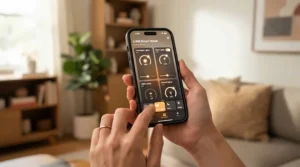
Hub-Free Setup vs a Bridge: Which Route Is Right?
Hub-free setup means the bulb joins your Wi-Fi directly, so the only “hub” is the router you already own. A bridge adds a separate box that talks to the bulbs and then to your network.
| Approach | Setup effort | Strength at scale | Best For |
|---|---|---|---|
| Hub-free Wi-Fi (Tapo L530E, WiZ Colour E27 2-Pack) | Lowest | Router load grows with every bulb | Small flats and first rooms |
| Bridge-based (Hue Essential Starter Kit) | Medium | Strong, built for dozens of lights | Big homes and accessories |
| Matter over Thread (Nanoleaf Essentials Matter Bulb) | Medium | Mesh strengthens as devices are added | Matter-first households |
The table shows a trade-off between effort and endurance. Hub-free setup wins for small spaces because you open the box and you’re done. Past ten or fifteen bulbs, routers can struggle, which is where a bridge or Thread mesh earns its keep. For most beginners, I’d start hub-free and move to Matter later.
Voice Assistant Integration: Getting the Most from Your Starter Kit
Voice assistant integration is where smart bulbs stop feeling like gadgets and start feeling like furniture. The basics (on, off, dim) work everywhere. The real value comes from routines.
Build three early: a weekday wake-up that brightens a bedroom over twenty minutes, an evening wind-down that shifts to warm white, and a “goodnight” command that switches the downstairs off. The WiZ Colour E27 2-Pack and Tapo L530E both support schedules, while Hue kits suit richer automations with sensors.
Local control matters too. Matter and bridge-based setups tend to react faster because commands don’t always travel through a cloud server. If your Wi-Fi sulks, the Hue White and Colour Ambiance Starter Kit keeps working offline after setup, according to Philips.
Keep phrasing natural. “Turn on the reading light” will beat “activate lamp three” every time, and kids, guests and grandparents will thank you.
Whole-Home Lighting Expansion: Planning Beyond the First Kit
Whole-home lighting expansion is where cheap decisions become expensive ones. Do the planning now and your future self will send a thank-you note.
Start by counting fittings, not rooms. A three-bed house can easily have fifteen to twenty sockets, and each one is a potential smart bulb. Next, pick a spine: a bridge, a Thread mesh, or Wi-Fi. A Matter explainer on arXiv notes that the CSA released the Matter standard in late 2022 to tackle exactly this fragmentation. That makes Matter bulbs like the Nanoleaf Essentials Matter Bulb a safer long-term bet than proprietary ones.
Cost scales differently by route. Ten hub-free bulbs from five Tapo L530E two-packs land at roughly £60-£125, while the bridge route typically costs several times more. IKEA’s Kajplats Matter range, newly on UK shelves in 2026, is another route, though it isn’t sold on Amazon, so I’ve left it out of the round-up.
Add rooms in this order: living room, hallway, bedrooms, kitchen. That’s the order that delivers the most daily benefit for the least spend.
Features That Actually Matter (And Those That Don’t)
Marketing loves big numbers. Here’s what’s worth caring about.
Worth it:
- A low dimming floor (the Tapo L530E goes down to 1%)
- A warm-white floor around 2,200-2,700K
- Restore-last-state after power cuts
- Matter support for future flexibility
- A reliable app, because you’ll use it daily
Mostly marketing:
- 16 million colours (most people use a dozen)
- Sixty-plus scene presets
- Music sync gimmicks
TechRadar’s Govee review captures the point well: the bulbs offer good value, but the app isn’t the best, and bold colours looked a little dim. That’s why I’d rather pay for a warm white that looks lovely at 8pm than another hundred colour presets.
Long-Term Cost & Maintenance
Smart bulbs cost more up front, so the sums matter. The Tapo L530E listing quotes about 9 kWh per 1,000 hours and a lifetime near 25,000 hours. At an assumed 25p per kWh, that’s roughly £2.25 per 1,000 hours. Treat it as illustrative, since your tariff will differ.
The savings come mostly from behaviour. Schedules and Away Mode stop lights burning in empty rooms, and warm dimming keeps evening use modest.
On maintenance, there’s very little. Apply firmware updates, keep bulbs on constant power, and avoid cheap dimmer switches. A bridge adds one more device to keep powered, but the Hue Essential Starter Kit ecosystem rewards that with long support and accessories.
The hidden cost is lock-in. Proprietary bridges can’t run rival bulbs, so factor in the price of future expansion. Matter softens that risk, which is why the Govee G80 E27 and Nanoleaf kits look sensible over a five-year horizon.

FAQ
❓ Are smart bulb starter kits worth it for renters?
❓ Can I use smart bulb starter kits with a dimmer switch?
❓ How many bulbs should I buy first?
❓ Do Matter bulbs need a Thread border router?
❓ Can I mix brands in one room?
Conclusion
The best smart bulb starter kits aren’t the brightest or cheapest. They’re the ones that fit the home you’ll have in two years.
If you want the safest long-term system, the Philips Hue White and Colour Ambiance Starter Kit is the premium choice, with the Philips Hue Essential Starter Kit as its gentler sibling. If budget rules, the Tapo L530E is hard to beat, and the WiZ Colour E27 2-Pack adds a handy remote. For Matter-minded buyers, the Govee G80 E27 and Nanoleaf Essentials Matter Bulb point toward the future, and the Nanoleaf Essentials Matter Lightstrip Starter Kit adds atmosphere.
Whatever you pick, start small, name things sensibly, and plan for whole-home lighting expansion before you buy bulb number five.
✨ Ready to light up your home?
🔍 Click any highlighted product name above to check current pricing and availability, and start with the kit that fits your space. 💡
Recommended for You
- Smart Bulbs Under £20: 7 Brilliant Budget Picks For UK Homes (2026)
- Himalayan Salt Lamp Gift Set: 7 Best Picks For UK Homes (2026)
- Himalayan Salt Lamps Under £25: 7 Best Buys For UK Homes (2026)
Disclaimer: This article contains affiliate links. As an Amazon Associate, I earn from qualifying purchases. If you purchase products through these links, we may earn a small commission at no additional cost to you.
✨ Found this helpful? Share it with your friends! 💬🤗
